 How-to
Can AI Generate Natural Sounding Emails? A Practical Guide
Last Updated: November 23, 2026
Quick Summary
Yes, AI can generate natural sounding emails, but only when you give it enough of your own voice and context to work with. Feed it two or three emails you actually sent, plus specifics about the recipient and the goal, then edit the draft before sending. The tool is not the hard part; the input is.
- Stop asking the AI to write and start asking it to rewrite your voice, facts, and reader.
- Generate two versions, short and warmer, then edit for accuracy before you send.
- Give subject line rules like under 45 characters and no exclamation marks, then pick the plainest option.
- Run a five-question review rubric covering specificity, voice, clarity, tone fit, and accuracy.
- If a draft fails three or more questions, fix the prompt and regenerate instead of editing.
Table of Contents
- Can AI Generate Natural Sounding Emails?
- How to Make AI Emails Sound Human
- Using an AI Email Response Generator for Replies That Land
- AI-Written Email Examples: Before and After
- Tuning Your AI Email Subject Generator for Real Opens
- Common Pitfalls That Make AI Emails Sound Robotic
- Handling Sensitive Client Data and Accuracy Checks
- Start Your Free Trial and Send Your First AI-Assisted Follow-Up
- Frequently Asked Questions
Can AI Generate Natural Sounding Emails?
Yes, AI can generate natural sounding emails, but only when you give it enough of your own voice and context to work with.
The catch most people miss: the tool is not the hard part. The input is.
Ask a generic AI email writer for "a follow-up email" and you get a generic follow-up email.
Below, we'll show you the prompt-to-send workflow, real before-and-after examples, and the pitfalls that make AI drafts sound like a robot wrote them.
How to Make AI Emails Sound Human
The fastest way to make AI emails sound human is to stop asking the AI to write and start asking it to rewrite. Feed it your voice, your facts, and your reader, then edit what comes back.
That is the entire method. Everything below is detail.
Feed the AI Your Real Voice
Most people skip this step. Then they wonder why the output reads like a press release.
Paste in two or three emails you actually sent. Good ones, where a client replied warmly. Tell the AI: "Match this tone, sentence length, and level of formality."
A common mistake is feeding the AI your formal proposal language instead of your day-to-day replies. Those are two different voices, and clients hear the difference immediately.
Give Context, Not Just Instructions
"Include the estimate and ask if they have questions" is an instruction. "This is a homeowner who got three quotes and mentioned budget twice" is context.
Context changes everything:
- Who the recipient is and what they already know
- What happened last in the conversation
- What you want the reader to do next
- Anything you must not say
The more specific the context, the less the AI has to guess. Guessing is where robotic wording comes from.
Using an AI Email Response Generator for Replies That Land
An AI email response generator drafts replies to incoming messages, and it works best when you treat the output as a first draft you own, not a final answer.
Here is the workflow we recommend to every new client:
- Paste the incoming email or a summary of the call
- State the goal in one line ("confirm the Tuesday visit and get a decision on the upgrade")
- Add your voice samples and any facts that must appear
- Generate two versions: short and warmer
- Edit for accuracy, then send
Step five is not optional. You are still the sender. If the draft claims a timeline you cannot meet, that is your problem, not the AI's.
Once a reply works well, turn it into a template you can reuse. Client Follow-Up lets you build AI-assisted follow-up sequences and review every message before it goes out. Client Follow-Up lets you build AI-assisted follow-up sequences and review every message before it goes out.
AI-Written Email Examples: Before and After
The clearest way to judge AI-written email examples is side by side, and the clearest test is whether the same facts produce a message a human would actually send. One follow-up example is not enough, because the failure modes change with the situation. Below are four scenarios that cover most of the emails small teams send, each with a raw AI draft and a corrected version.
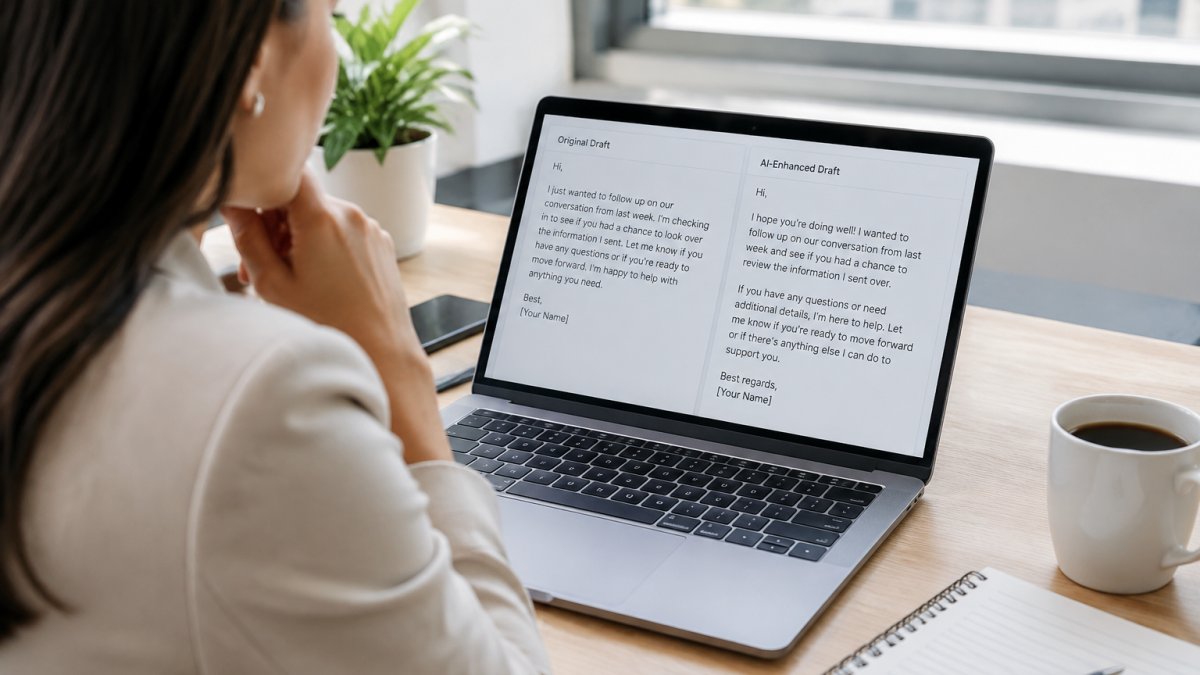
Follow-up after a quote
Before (raw AI draft):
Dear Valued Customer, I hope this message finds you well. I am reaching out to follow up on your recent inquiry regarding our services. Please do not hesitate to contact us should you require any further information.
After (with voice and context):
Hi Dana, thanks for taking my call yesterday. I've attached the estimate we discussed, and the install date you wanted is still open. If the price works, I can hold that slot until Friday.
Same facts. One sounds like a company. The other sounds like a person who wants the job.
Apology for a missed deadline
Before:
We sincerely apologize for any inconvenience this may have caused. We are committed to providing the highest level of service and appreciate your patience and understanding.
After:
Hi Marcus, the report was due Friday and I missed it. The delay was on my end, not yours. I've finished the draft and you'll have it by 10 a.m. tomorrow. If that timing doesn't work, call me and we'll adjust.
The raw draft apologizes without naming the failure or the fix. The corrected version states what happened, owns it, and gives a specific new commitment.
Refusing a request without burning the relationship
Before:
Thank you for your request. Unfortunately, we are unable to accommodate your needs at this time. We appreciate your interest and look forward to serving you in the future.
After:
Hi Priya, I can't take on the spring campaign at the scope you described. My team is fully booked through April, and I'd rather tell you now than deliver something rushed.
The corrected version refuses clearly, explains why in one line, and offers a real alternative. The raw draft refuses without giving the reader anything to act on.
Sensitive internal update
Before:
We would like to inform you that there have been some changes to the project timeline. We appreciate your continued support and will keep you updated as things progress.
After:
Hi team, the launch moves from March 14 to April 4. The delay comes from the vendor integration, not from anything on our side. What changes for you: the QA window shrinks by one week, so please flag any testing conflicts by Thursday.
Internal updates fail when they hide the cause and the consequence. The corrected version names the new date, the reason, and what each reader needs to do.
What the four examples have in common
In every case, the raw draft is grammatically fine and still wrong for the situation. The corrected version adds four things: a real name, a specific fact, a clear ask or commitment, and a sentence a person would actually say out loud. Those four elements are the difference between an AI draft and a sendable email, regardless of the scenario.
For a deeper walkthrough of professional follow-up structure, see our guide on how to write a professional follow-up email.
Tuning Your AI Email Subject Generator for Real Opens
An AI email subject generator is only as good as the constraint you give it. "Write a subject line" produces "Following Up" every time, which is the least openable subject line in existence.
Give it rules instead:
- Under 45 characters
- Reference something specific from the conversation
- No exclamation marks, no "just checking in," no "touching base"
- Write five options and pick the plainest one
Specific beats clever. "Your Tuesday install slot" will beat "Quick Question!" almost every time, because it looks like it came from someone who remembers the conversation.
Common Pitfalls That Make AI Emails Sound Robotic
Robotic wording comes from predictable causes, and each has a fix. But knowing the causes is not the same as being able to judge a draft. The more useful skill is a short review pass you run on every AI-generated email before it goes out.
The six causes and their fixes
- Too polished. AI smooths everything. Cut one sentence from every paragraph and read it aloud.
- Empty pleasantries. "I hope this finds you well" is filler. Replace it with a real reference to the last conversation.
- Over-hedging. "I just wanted to quickly touch base" weakens the ask. Say what you need.
- Wrong formality. A text-style reply to a corporate client reads as careless. Match the register.
- No specificity. If the draft could have been sent to anyone, it will land like it was.
- Repetitive openers. Three emails in a row starting with "I wanted to" is a pattern clients notice.
A five-question review rubric
Before you send, score the draft against five questions. Each is a yes-or-no check, and a single no is enough to send it back for a rewrite.
- Specificity: Does the draft contain at least one detail that could only apply to this recipient, such as a name, a date, or a reference to the last conversation?
- Voice: Would you say this sentence out loud to the person's face? If not, rewrite it.
- Clarity: Is the ask or next step stated in one sentence, without hedging?
- Tone fit: Does the formality match the recipient and the situation, not your default style?
- Accuracy: Is every name, date, number, and commitment correct and something you can stand behind?
A common pattern is that drafts pass clarity and tone but fail specificity and accuracy. Those two failures are the ones that cost replies and create follow-up problems, so check them first.
Watch out: a draft can pass all five questions and still be wrong if it promises something you cannot deliver, so read the commitment sentence twice before sending.
The read-aloud test
A useful final check: read the draft out loud. If you would not say it to the person's face, rewrite it. This catches over-hedging, empty pleasantries, and overly polished phrasing faster than any checklist, because your ear notices what your eye skips.
When to rewrite versus when to start over
If the draft fails one question, edit the sentence. If it fails three or more, the prompt was the problem, not the output. Go back and add context about the recipient and the goal, then regenerate. Editing a draft built on a weak prompt takes longer than rewriting the prompt and generating again.
Robotic wording has predictable causes, and each one has a straightforward fix.
| Problem | Cause | Fix |
|---|---|---|
| Too polished | AI smooths everything | Cut one sentence per paragraph, read aloud |
| Empty pleasantries | Filler like "I hope this finds you well" | Replace with a real reference to last conversation |
| Over-hedging | "I just wanted to quickly touch base" | Say what you need |
| Wrong formality | Text-style reply to a corporate client | Match the register |
| No specificity | Draft could have been sent to anyone | Add a detail unique to the recipient |
| Repetitive openers | Three emails starting with "I wanted to" | Vary the opening line |
Handling Sensitive Client Data and Accuracy Checks
Privacy and accuracy are where enthusiasm for AI tools meets reality. Before you paste anything into an AI writer, strip what does not need to be there.
- Remove account numbers, full addresses, and payment details
- Use first names only where possible
- Check your company policy on where client data can go
- Keep a human approval step on every outbound message
Accuracy deserves the same discipline. AI will confidently state a delivery date, a coverage detail, or a discount that you never mentioned. Read every number before sending.
"The draft is a proposal, not a commitment" is the rule we give every team. If the AI writes a claim, you own it.
Client Follow-Up is designed around that idea: AI-assisted drafting keeps you in control of your professional messaging. You can see how the platform works on the AI capabilities page.
Start Your Free Trial and Send Your First AI-Assisted Follow-Up
The gap between a lost lead and a booked job is usually one unreturned message.
Client Follow-Up is built for businesses that rely on timely follow-ups. It organizes leads in a centralized dashboard so nothing sits forgotten.
If you want the deeper walkthrough first, read how to use AI email drafting for small business follow-ups.
For Spanish-speaking teams, the página en español covers how it works.
The real test is not whether AI can write an email.
Get started with Client Follow-Up and turn every open estimate into a real next step.
Frequently Asked Questions
Can people tell if an email is AI generated?
Often they can, when the draft is sent untouched. Readers notice generic greetings, overly formal phrasing, and paragraphs that never mention their specific situation. The tell is rarely the grammar; it is the lack of detail. Emails that reference the actual service call, the property address, or the quote number read as human because the context is real. Edit every AI draft to add one specific detail about the recipient and remove any phrase you would not say out loud.
How can I make AI-written emails sound more natural?
Start by giving the AI a sample of your own writing and telling it your tone in plain terms, such as short sentences and no corporate jargon. Include the recipient's name, the reason for the email, and the one action you want them to take. After generating, cut the opening line, shorten any sentence over 20 words, and replace formal connectors with plain ones. Read the draft aloud; anything you stumble over gets rewritten.
Are AI-generated emails appropriate for business communication?
Yes, when a person reviews and owns the final message. AI is a drafting aid, not a sender. Use it to produce a first pass for follow-ups, quote reminders, and scheduling notes, then check names, dates, figures, and any commitment you are making. Keep confidential client details out of prompts where policy requires it. The responsibility for accuracy stays with you, and a quick proofread before sending protects both the relationship and your professional reputation.